
Using the AI Agent
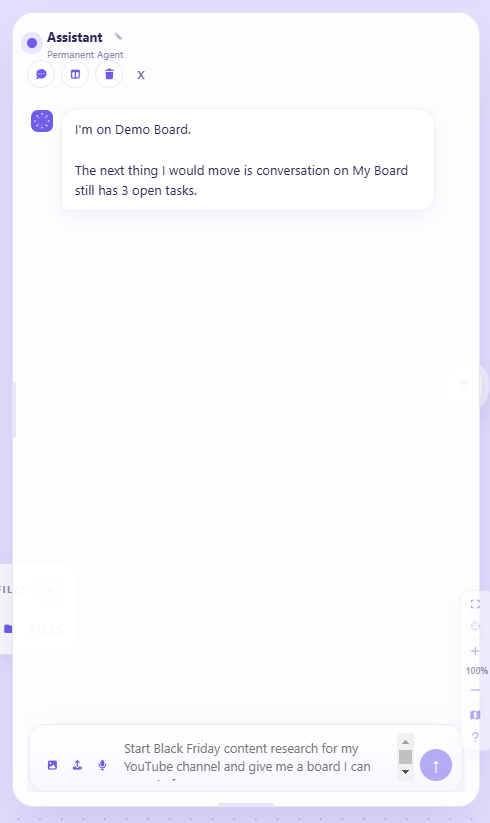
The agent is a persistent conversation that can see your workspace. It is not a chatbot bolted onto the side — it reads the cards you have placed and the live data flowing into them, and it can build in the workspace with you.
Talking to it
Section titled “Talking to it”Type in the composer and send.

Speak — the composer has a voice button. Press it and it listens, showing Listening while it does, then puts what you said into the message. Useful when you are describing something long, or working away from the keyboard.
Wake it by name — on desktop, Vexlynk can listen for a wake word so you can start without touching anything. The wake name is configurable in Settings, and it is desktop only.
Attaching images and files
Section titled “Attaching images and files”You can attach images and files to a message, and the agent reads them as part of the question.
Attachments appear as chips on the message — while you compose, and afterwards in the conversation — so it stays clear what a given answer was looking at. Remove one before sending if you attached it by mistake.
If you attach something without typing anything, the agent takes the sensible default: read this, and tell me what matters next.
Conversations
Section titled “Conversations”New conversation starts a fresh thread — for when the current one has drifted, or when you want the agent thinking about one thing rather than carrying an hour of unrelated context.
Chat history lists your earlier conversations so you can return to one.
Threads are kept per workspace. The history shows the chats belonging to the workspace you are in, and says so when there are no others. That scoping is deliberate — it keeps unrelated work from bleeding together, and it is why the agent in one workspace does not remember what you discussed in another.
What it can see
Section titled “What it can see”- Your workspace — the cards in it, their content and how they relate
- Live source data — what your connected sources have fetched
- Vlynk intelligence — summaries from any Vlynks you have installed
- Conversation history — the current thread, scoped to the workspace you are in
Link cards it can read. Ask about a link card you placed — “what’s this page about?” — and the agent reads the page (server-side, safely) and answers from it, always ending with a “Read: title — domain · fetched …” line so you can see what it read and when. The read is kept on the card, so a second question answers instantly from that copy; the line says “(cached)” honestly when it does. Your board stays clean — nothing gets pasted.
The connections you draw. Draw a line between two cards and label it — depends on, supports, references, contains — and the agent reads that link as context. Ask “what’s connected on this board?” and it names the real pairs from the lines you drew (e.g. “Early Bird Discounts → supports → Early Bird Discounts Tasks”), not a guess. It reads what connects to what — not where cards sit on the canvas (positions aren’t in its context), so it never claims two cards are “near” or “clustered.”
Document cards, only if you turn it on. Off by default. Enable “Let the agent read document cards you ask about” in Settings → AI and the agent can read a document card when you ask about it. Three facts, precisely: your documents are stored on your machine and Vexlynk’s servers never read or ingest them; the reading happens locally on your device; when you ask, only the relevant part travels with your question — exactly like the text of a note. The background Vlynks still never read document contents, on or off.
What it cannot see: workspaces you are not in, sources you have not connected, uploaded files (PDFs and other file cards are not readable yet), and anything outside Vexlynk. If an answer depends on data you have not connected, it will say so rather than guess.
Asking questions
Section titled “Asking questions”The useful questions are the ones that span things sitting in your workspace:
- “What’s on my calendar this week?”
- “Which video performed best last month?”
- “Summarise what changed across my sources since yesterday.”
- “What should I be worried about?”
The last one is the point of the whole product: the agent is looking at your actual data, so a vague question can still get a specific answer.
What it can do
Section titled “What it can do”Beyond answering, the agent can act in the workspace:

- Create cards — notes, summaries, structured output
- Place and run sources — put a source card in the workspace and fetch its data
- Organise — arrange and group what is already there
- Build workspaces — assemble a starting layout from a description
When it asks first
Section titled “When it asks first”Some actions run immediately; others stop and ask.
Runs directly — placing a source card. It is additive, obvious on screen, and trivially undone.
Asks first — anything that changes or removes existing work. You see what it intends to do and approve it before it happens.
The line is drawn at destructiveness and surprise, not at complexity. The agent will happily build an elaborate layout without asking, and will always ask before touching something you made.
Proposes, you approve
Section titled “Proposes, you approve”For multi-step work — “build me a launch board” — the agent lays out the whole plan first: it describes every card it would create, grounded in your board, and ends with one question — build this now, or adjust? Approve and it builds each card in sequence, no per-card prompt; ask for a change and it re-proposes. Nothing is written to the board until you say go.
Memory
Section titled “Memory”The agent remembers within a workspace. Context from earlier in your conversation carries forward, so you can refer back to something without repeating it.
Memory is workspace-scoped: a different workspace is a different context. That is deliberate — it keeps unrelated work from bleeding together.
Usage and plans
Section titled “Usage and plans”The agent runs on hosted AI, metered per request:
| Plan | AI requests per month |
|---|---|
| Free | 50 |
| Plus | 250 |
| Pro | Unlimited |
A request is one turn — you ask, it answers. The remaining count is shown near the composer when your plan is metered. Usage resets at the start of each calendar month (UTC).
If you have your own AI provider key, the BYOK plan variants let you use it instead — OpenAI, Anthropic (Claude), DeepSeek, Perplexity, or xAI (Grok), or any OpenAI-compatible endpoint. Your usage is billed by your provider rather than metered here. See Bring Your Own Key.
Getting better answers
Section titled “Getting better answers”Connect the sources that matter first. The agent’s answers are only as good as what is in the workspace. One with three live sources produces sharper answers than one with none.
Ask about what you can see. Questions grounded in cards in the current workspace work better than general knowledge questions — there are better tools for the latter.
Install a Vlynk for anything ongoing. If you find yourself asking the same question every morning, that is what Vlynks are for.
- Vlynks — standing intelligence the agent consults
- Connecting Sources — give the agent more to work with
Was this page helpful?
Still have a question?
Ask it here. Questions shape what gets written next — if something is missing from this page, this is how it gets added.