
Connecting Sources
A source is something outside Vexlynk that feeds a card in your workspace: a YouTube channel, a Stripe account, a calendar, an RSS feed. Once connected, its card updates on its own, and the AI agent can read it.

The catalogue
Section titled “The catalogue”Twenty-two live sources ship today — each connects read-only and becomes a live card the agent reads.
Not connectable yet: Gmail and Google Business Profile are built but awaiting Google’s approval for their data scopes, so they are not in the list below.
- Google Calendar — upcoming events
- Google Analytics — GA4 property metrics
- Outlook — calendar and mail activity
Commerce and revenue
Section titled “Commerce and revenue”- Stripe — your own account’s payments and revenue, read-only
- Shopify — store activity
Productivity and CRM
Section titled “Productivity and CRM”- Notion — databases and pages
- Trello — boards and cards
- HubSpot — CRM records
- Calendly — scheduled meetings
- WhatsApp (via Kapso) — conversations
YouTube
Section titled “YouTube”- YouTube Data — My Channel — your channel’s videos and stats
- YouTube Analytics — My Channel — your channel’s performance
- YouTube Channel Signal — track any public channel
- YouTube Search Suggestions — what people are searching for
- YouTube Trending Videos — trending by region and category
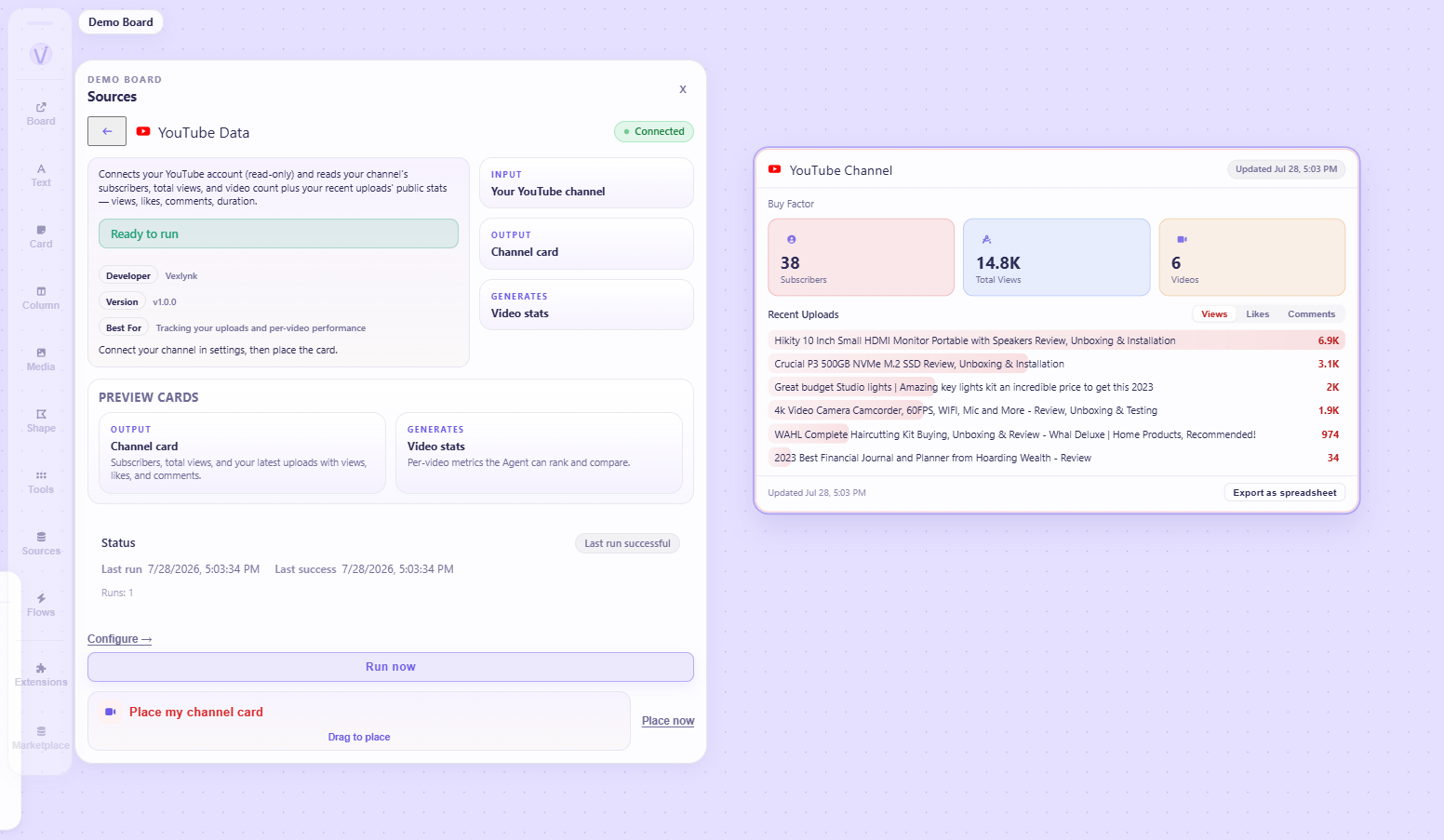
- RSS Web Signal Scraper — structured extraction from feeds and pages
- RSS Source — the built-in primitive: drop in any feed URL
- Competitor Research — track competitor signals
- WordPress — posts and site activity
Connecting one, end to end
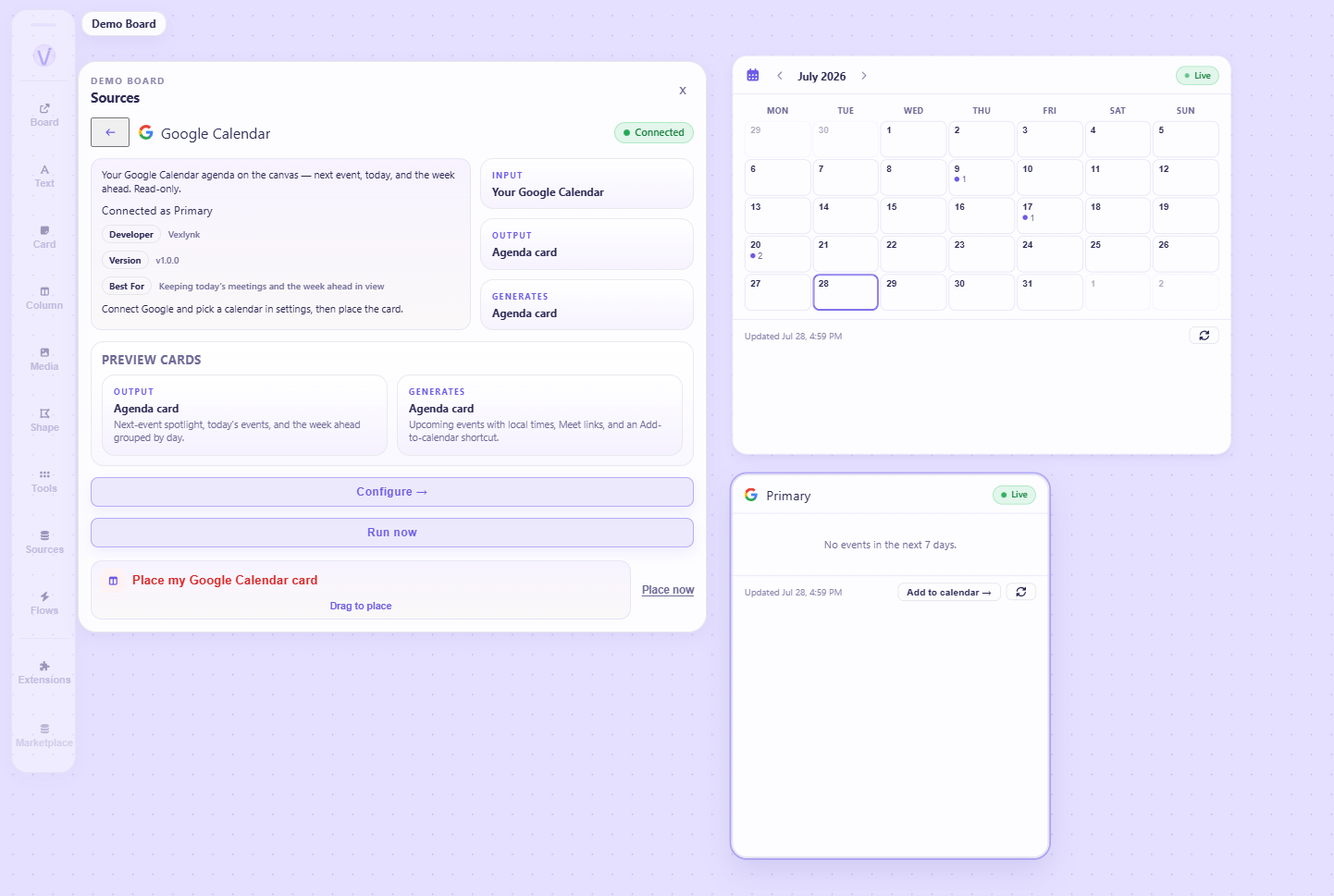
Section titled “Connecting one, end to end”Google Calendar is the clearest example because the result is immediately legible.
- Open Sources in the rail.
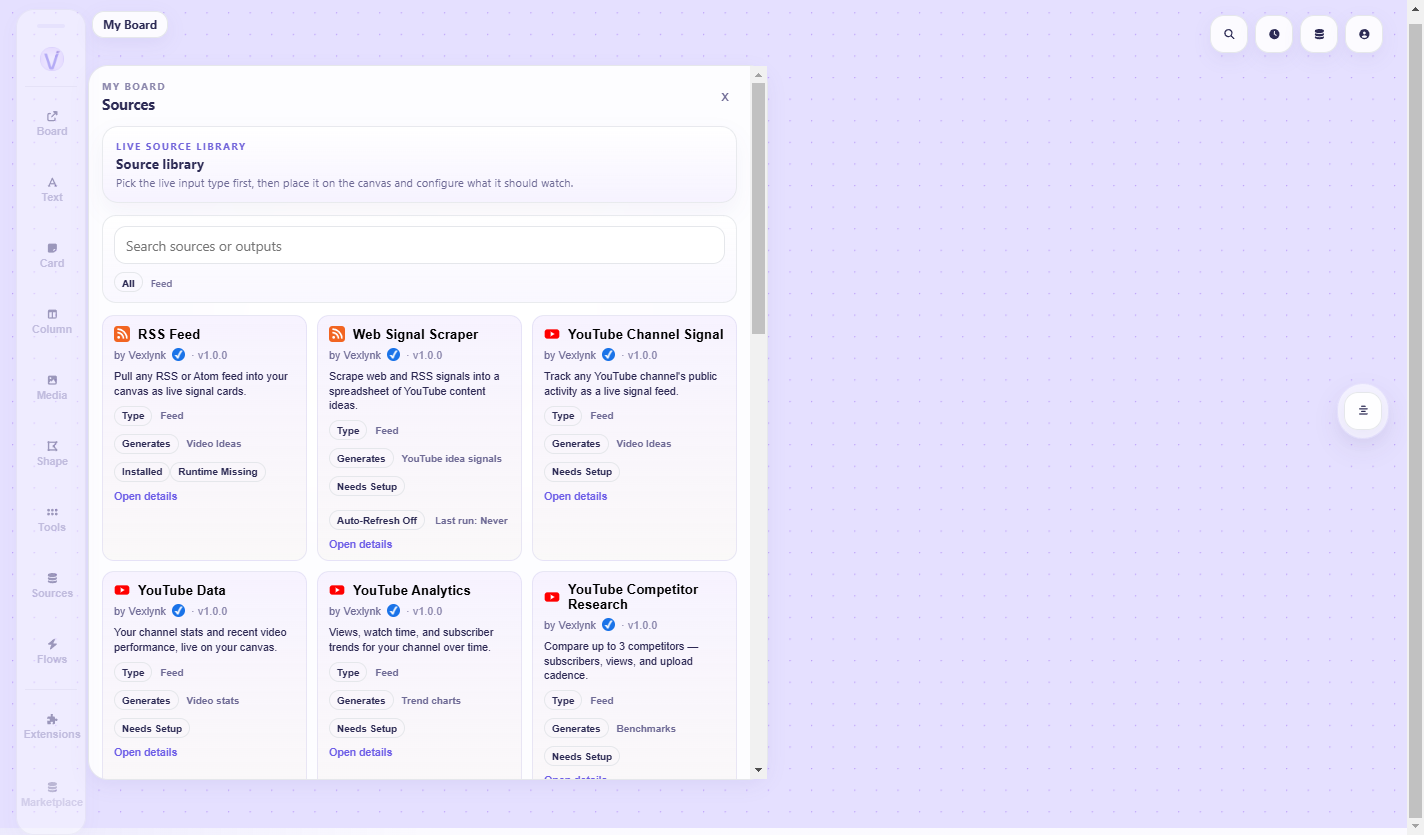
- Choose Google Calendar. Its configuration panel opens.
- Authorise. Vexlynk opens Google’s consent screen in your browser. You are granting read access to your calendar. If you later add an event from the calendar card, Vexlynk asks for that write permission separately, at that moment — it is never requested up front.
- Pick the calendar you want, if you have more than one.
- The card appears in your workspace and fills with your upcoming events.
The card shows the next event prominently, then today’s remaining events, then the rest of the window grouped by day. If you have nothing scheduled, it says so plainly — an empty week is a real answer, not an error.
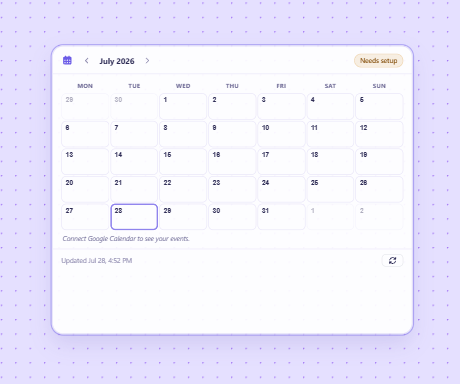
If the card shows Connect instead of events, the source is installed but not yet authorised. Clicking it takes you straight to the right settings panel.
More than one account
Section titled “More than one account”Plenty of people have two Google accounts, or a personal channel and a work one. Vexlynk handles this, and it is worth knowing how before you connect the wrong one.
Which account a source is using
Section titled “Which account a source is using”A connected source shows Connected: your@email in its settings. That is the account it is actually reading from — check it there rather than assuming, because the browser signs you in as whoever was already logged in.
Connecting a different account
Section titled “Connecting a different account”Use Connect account in the source’s settings to authorise a different one.
The reliable way to control which account you land on is to be signed into the right one in your browser before you start, or to pick it on Google’s own account chooser when it appears. The consent screen belongs to the provider, not to Vexlynk.
One account, several sources
Section titled “One account, several sources”Authorising Google once does not grant everything. Each source asks for the access it needs, so a source may say “Using your@email — this source also needs access” with a Grant access button.
That is not a bug or a second account. It is the same account being asked for an additional permission — calendar access does not imply analytics access. Granting it keeps you on the same account.
Choosing what within the account
Section titled “Choosing what within the account”Some sources have a second step after the account:
- YouTube — if the account has more than one channel, you pick which. With exactly one it is shown read-only, and with none the source falls back to your default channel
- Google Calendar — pick which calendar
- Google Analytics — pick which GA4 property
So “connected” is really two decisions: which account, then which thing inside it. Both are changeable later from the same settings panel.
Using two accounts at once
Section titled “Using two accounts at once”Place the source twice. Each card keeps its own configuration, so one can read your personal calendar and another your work one, side by side in the same workspace.
Remember each counts against your connected sources limit — see Plans & Limits.
Installed is not connected
Section titled “Installed is not connected”Every source has two separate states, and confusing them is the most common early stumble:
| State | Meaning |
|---|---|
| Installed | The package is present. It appears in your Sources panel. It produces nothing. |
| Connected / configured | You have authorised it. It fetches data and its card updates. |
Three sources arrive installed on a new account — RSS Web Signal Scraper, YouTube Data, and YouTube Analytics — and all three still need connecting before they do anything.
How sources authenticate
Section titled “How sources authenticate”OAuth — Google Calendar, Google Analytics, Outlook, and the YouTube sources. You approve access on the provider’s own consent screen. Vexlynk never sees your password.
API key — Stripe, Notion, Trello, HubSpot, Shopify, WhatsApp and others. You paste a key from that service. Keys are stored encrypted and are never written into your workspace.
No auth — RSS feeds, YouTube Search Suggestions, YouTube Trending Videos, and public-channel tracking.
Whichever it is, Vexlynk asks for read access. Sources bring data in; they do not write back to the service on their own — the few writes that exist (a WhatsApp reply, a Trello task update, a calendar event) happen only when you take that action yourself.
Refreshing
Section titled “Refreshing”Some sources are polled in the cloud on a schedule, so their cards stay current even when the app is closed. Others refresh when you ask them to, from the card itself.
Every card carries a last updated timestamp. If a refresh fails, the card says so and keeps the data it already had — a failed fetch never blanks a card that was working.
Plan limits
Section titled “Plan limits”How many sources you can have connected at once depends on your plan — Free allows 5. The full table is on Plans & Limits.
When you reach the limit, connecting another shows an upgrade prompt naming the ceiling you hit. Nothing is ever disconnected on your behalf — the limit stops the next one, it does not prune what you have. If you are over a limit after a plan change, everything you already connected keeps working.
When something is wrong
Section titled “When something is wrong”Card shows “Connect” — installed but never authorised. Click through to the settings panel.
Card shows an error — the connection broke, usually an expired or revoked authorisation. Reconnect from the source’s settings. The card keeps its last good data until the next successful fetch.
A source is missing from the shelf — it may not be installed. Uninstalled sources live in the Marketplace.
- Using the AI Agent — ask questions about the data you just connected
- Vlynks — turn connected sources into ongoing intelligence
Was this page helpful?
Still have a question?
Ask it here. Questions shape what gets written next — if something is missing from this page, this is how it gets added.